
Supercharge Your IT Automation
Autonomous IT Operations
Autonomous IT Operations
The AI-First, Automation Platform for Resilience & Scale.
The AI-First, Automation Platform for Resilience & Scale.
Sigma AI
Automation Actions
Template Library
Prompt Library
Sigma AI
Automation Actions
Template Library
Prompt Library

Trusted by leading organizations


Trusted by leading organizations
Trusted by leading organizations
AI-Driven Features
Automate infrastructure operations without DevOps complexity.
Sigma gives enterprise IT teams a no-code, agentless way to orchestrate VM, VDI, patching, and troubleshooting workflows across hybrid environments.





Agentless Infrastructure Control
Manage virtual infrastructure without deploying more agents or stitching together brittle scripts.
Agentless Infrastructure Control
Manage virtual infrastructure without deploying more agents or stitching together brittle scripts.


Diagnose AVD user that can’t reach the internet


Diagnosing internect connectivity for LightHostPool
Identified problem: VM network adapter lost
IP addressNew IP address requested and connectivity
checks passAffected users notified and change logged to SNOW
Diagnose AVD user that can’t reach the internet
Diagnosing internect connectivity for LightHostPool
Identified problem: VM network adapter lost
IP addressNew IP address requested and connectivity
checks passAffected users notified and change logged to SNOW
AI-Assisted Troubleshooting
Use AI to investigate issues, generate diagnostics, and guide remediation before outages spread.
Diagnose AVD user that can’t reach the internet
Diagnosing internect connectivity for LightHostPool
Identified problem: VM network adapter lost
IP addressNew IP address requested and connectivity
checks passAffected users notified and change logged to SNOW
AI-Assisted Troubleshooting
Use AI to investigate issues, generate diagnostics, and guide remediation before outages spread.
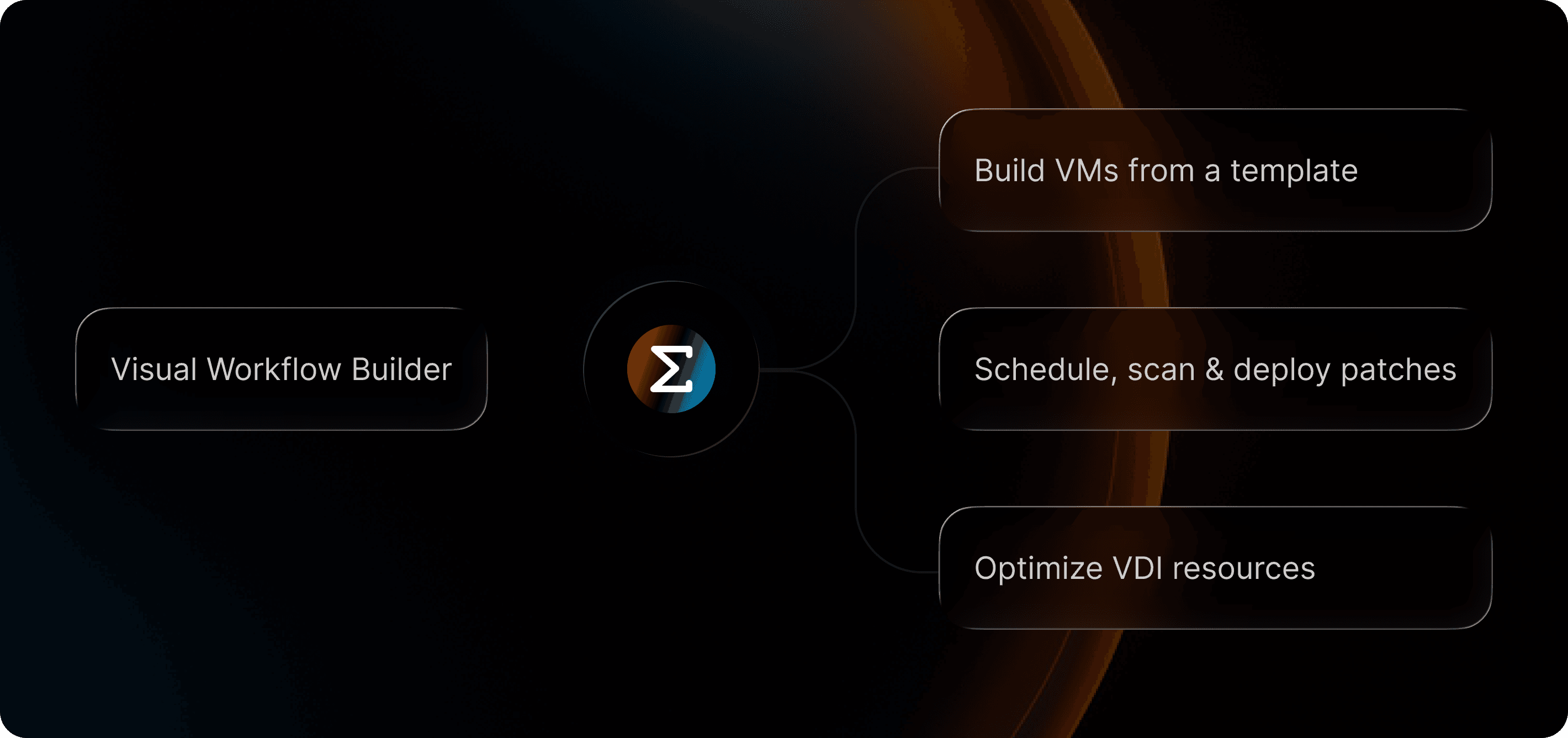
No-Code Workflow Automation
Build repeatable IT workflows visually for patching, maintenance, approvals, reboots, health checks, and remediation.
No-Code Workflow Automation
Build repeatable IT workflows visually for patching, maintenance, approvals, reboots, health checks, and remediation.
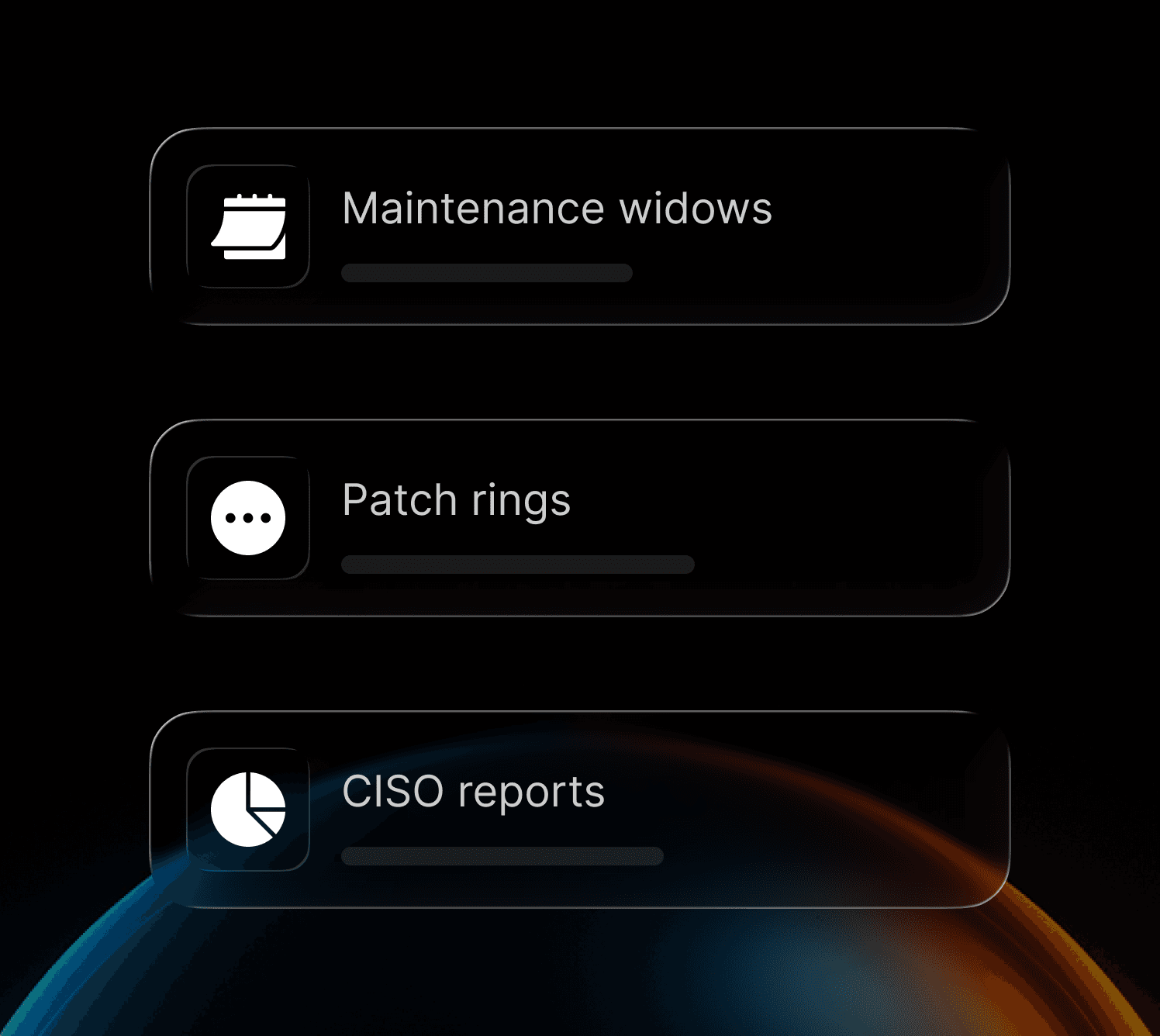
Patching, Compliance, and Guardrails
Enforce maintenance windows, validation checks, and security policies at scale with built-in operational guardrails.
Patching, Compliance, and Guardrails
Enforce maintenance windows, validation checks, and security policies at scale with built-in operational guardrails.

AI
AI
AI
Powered
Powered
Powered

Sigma AI
Generate a patch compliance report for my CISO
Automation Actions
Template Library
Prompt Library

Analyzing...
The user is requesting a compliance patch report for their CISO. To generate this report, I need to gather information about the current patch status of both Windows Server 2025 VMs. I should start by checking the current Windows Update status and installed patches on both systems.
This PowerShell command will retrieve all installed hotfixes/patches on the Windows systems, showing patch IDs, descriptions, and installation dates. This is essential baseline information for a compliance patch report.
$ Get-HotFix | Select-Object HotFixID, Description, InstalledOn | Sort-Object InstalledOn -Descending | Format-Table -AutoSize
Targets: demo_vm1, demo_vm2
Approved
demo_vm1
Diagram
Terminal
sigma>
Get-HotFix | Select-Object HotFixID, Description, InstalledOn | Sort-Object InstalledOn -Descending | Format-Table -AutoSize
03:59:54 PM
sigma>
Get-WindowsUpdateLog; Get-WmiObject -Class Win32_QuickFixEngineering | Select-Object HotFixID, Description, InstalledOn | Sort-Object InstalledOn -Descending
04:00:29 PM
sigma>
systeminfo | findstr /B /C:"OS Name" /C:"OS Version" /C:"System Boot Time" /C:"Hotfix(s)"
04:07:29 PM
OS Name:
Microsoft Windows Server 2025 Standard Evaluation
OS Version:
10.0.26100 N/A Build 26100
System Boot Time:
3/28/2026, 3:50:58 PM
Hotfix(s):
3 Hotfix(s) Installed.
sigma>
wmic qfe list full /format:table
04:07:49 PM
sigma>
wmic qfe list brief && dism /online /get-packages | findstr "Package Identity"
04:08:12 PM
sigma>
sc query wuauserv && reg query "HKLM\SOFTWARE\Microsoft\Windows\CurrentVersion\Component Based Servicing\Packages" /s | findstr /C:"Package_for_KB" | head -10
04:08:34 PM
sigma>
Sigma AI
Generate a patch compliance report for my CISO
Automation Actions
Template Library
Prompt Library
Analyzing...
The user is requesting a compliance patch report for their CISO. To generate this report, I need to gather information about the current patch status of both Windows Server 2025 VMs. I should start by checking the current Windows Update status and installed patches on both systems.
This PowerShell command will retrieve all installed hotfixes/patches on the Windows systems, showing patch IDs, descriptions, and installation dates. This is essential baseline information for a compliance patch report.
$ Get-HotFix | Select-Object HotFixID, Description, InstalledOn | Sort-Object InstalledOn -Descending | Format-Table -AutoSize
Targets: demo_vm1, demo_vm2
Approved
demo_vm1
Diagram
Terminal
sigma>
Get-HotFix | Select-Object HotFixID, Description, InstalledOn | Sort-Object InstalledOn -Descending | Format-Table -AutoSize
03:59:54 PM
sigma>
Get-WindowsUpdateLog; Get-WmiObject -Class Win32_QuickFixEngineering | Select-Object HotFixID, Description, InstalledOn | Sort-Object InstalledOn -Descending
04:00:29 PM
sigma>
systeminfo | findstr /B /C:"OS Name" /C:"OS Version" /C:"System Boot Time" /C:"Hotfix(s)"
04:07:29 PM
OS Name:
Microsoft Windows Server 2025 Standard Evaluation
OS Version:
10.0.26100 N/A Build 26100
System Boot Time:
3/28/2026, 3:50:58 PM
Hotfix(s):
3 Hotfix(s) Installed.
sigma>
wmic qfe list full /format:table
04:07:49 PM
sigma>
wmic qfe list brief && dism /online /get-packages | findstr "Package Identity"
04:08:12 PM
sigma>
sc query wuauserv && reg query "HKLM\SOFTWARE\Microsoft\Windows\CurrentVersion\Component Based Servicing\Packages" /s | findstr /C:"Package_for_KB" | head -10
04:08:34 PM
sigma>
Sigma AI
Generate a patch compliance report for my CISO
Automation Actions
Template Library
Prompt Library
Analyzing...
The user is requesting a compliance patch report for their CISO. To generate this report, I need to gather information about the current patch status of both Windows Server 2025 VMs. I should start by checking the current Windows Update status and installed patches on both systems.
This PowerShell command will retrieve all installed hotfixes/patches on the Windows systems, showing patch IDs, descriptions, and installation dates. This is essential baseline information for a compliance patch report.
$ Get-HotFix | Select-Object HotFixID, Description, InstalledOn | Sort-Object InstalledOn -Descending | Format-Table -AutoSize
Targets: demo_vm1, demo_vm2
Approved
demo_vm1
Diagram
Terminal
sigma>
Get-HotFix | Select-Object HotFixID, Description, InstalledOn | Sort-Object InstalledOn -Descending | Format-Table -AutoSize
03:59:54 PM
sigma>
Get-WindowsUpdateLog; Get-WmiObject -Class Win32_QuickFixEngineering | Select-Object HotFixID, Description, InstalledOn | Sort-Object InstalledOn -Descending
04:00:29 PM
sigma>
systeminfo | findstr /B /C:"OS Name" /C:"OS Version" /C:"System Boot Time" /C:"Hotfix(s)"
04:07:29 PM
OS Name:
Microsoft Windows Server 2025 Standard Evaluation
OS Version:
10.0.26100 N/A Build 26100
System Boot Time:
3/28/2026, 3:50:58 PM
Hotfix(s):
3 Hotfix(s) Installed.
sigma>
wmic qfe list full /format:table
04:07:49 PM
sigma>
wmic qfe list brief && dism /online /get-packages | findstr "Package Identity"
04:08:12 PM
sigma>
sc query wuauserv && reg query "HKLM\SOFTWARE\Microsoft\Windows\CurrentVersion\Component Based Servicing\Packages" /s | findstr /C:"Package_for_KB" | head -10
04:08:34 PM
sigma>
Endpoint Actions
Endpoint Actions
System Health
System Health
Workflow Automation
Workflow Automation

Policies & Runbooks
Policies & Runbooks

Cost Optimization
Cost Optimization
Endpoint Actions
Policies & Runbooks
System Health
Cost Optimization
Workflow Automation
AI-ASSISTED IT AUTOMATION
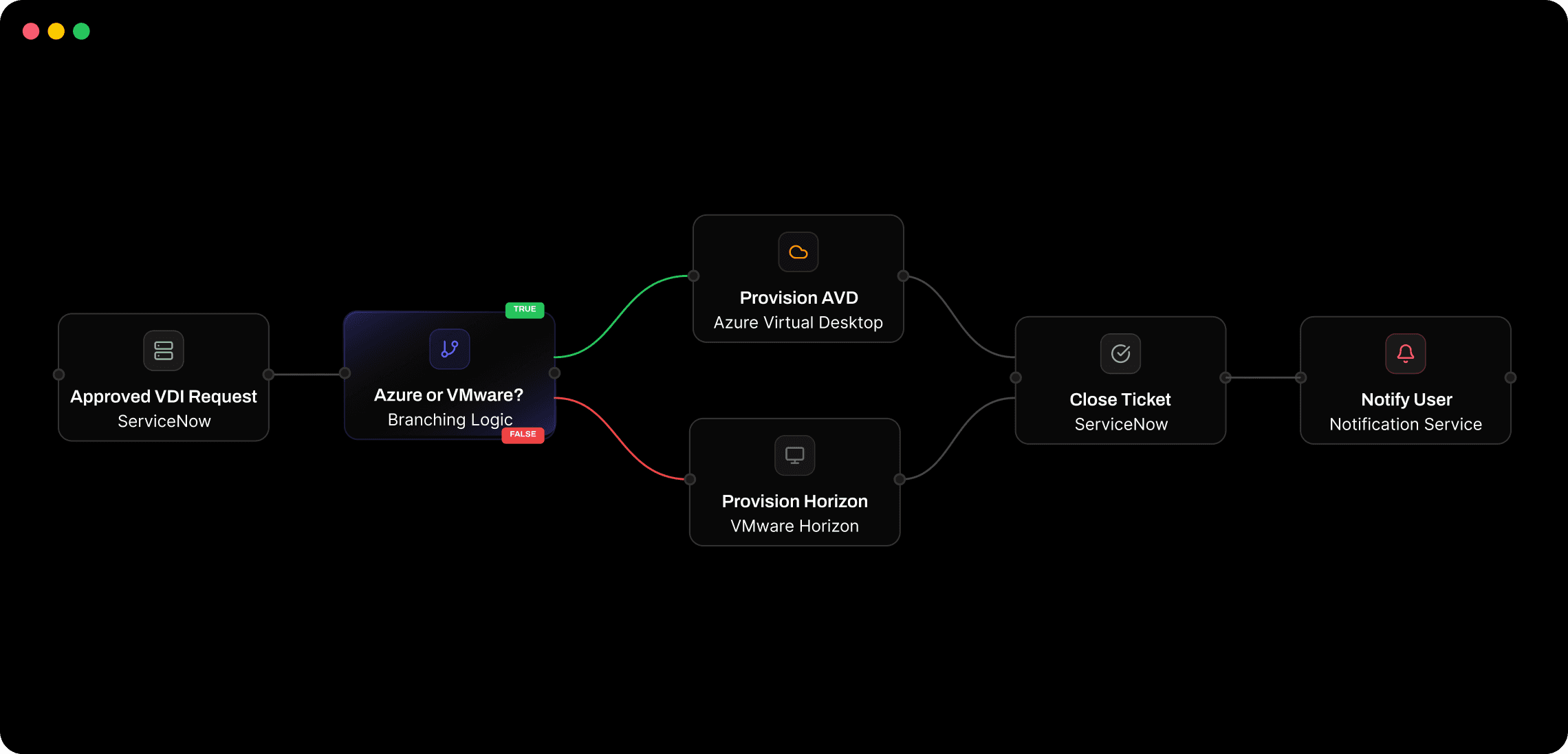
Build, automate, and manage your entire IT infrastructure
Sigma helps enterprise IT teams simplify VM, VDI, patching, and remediation workflows with no-code, agentless automation.
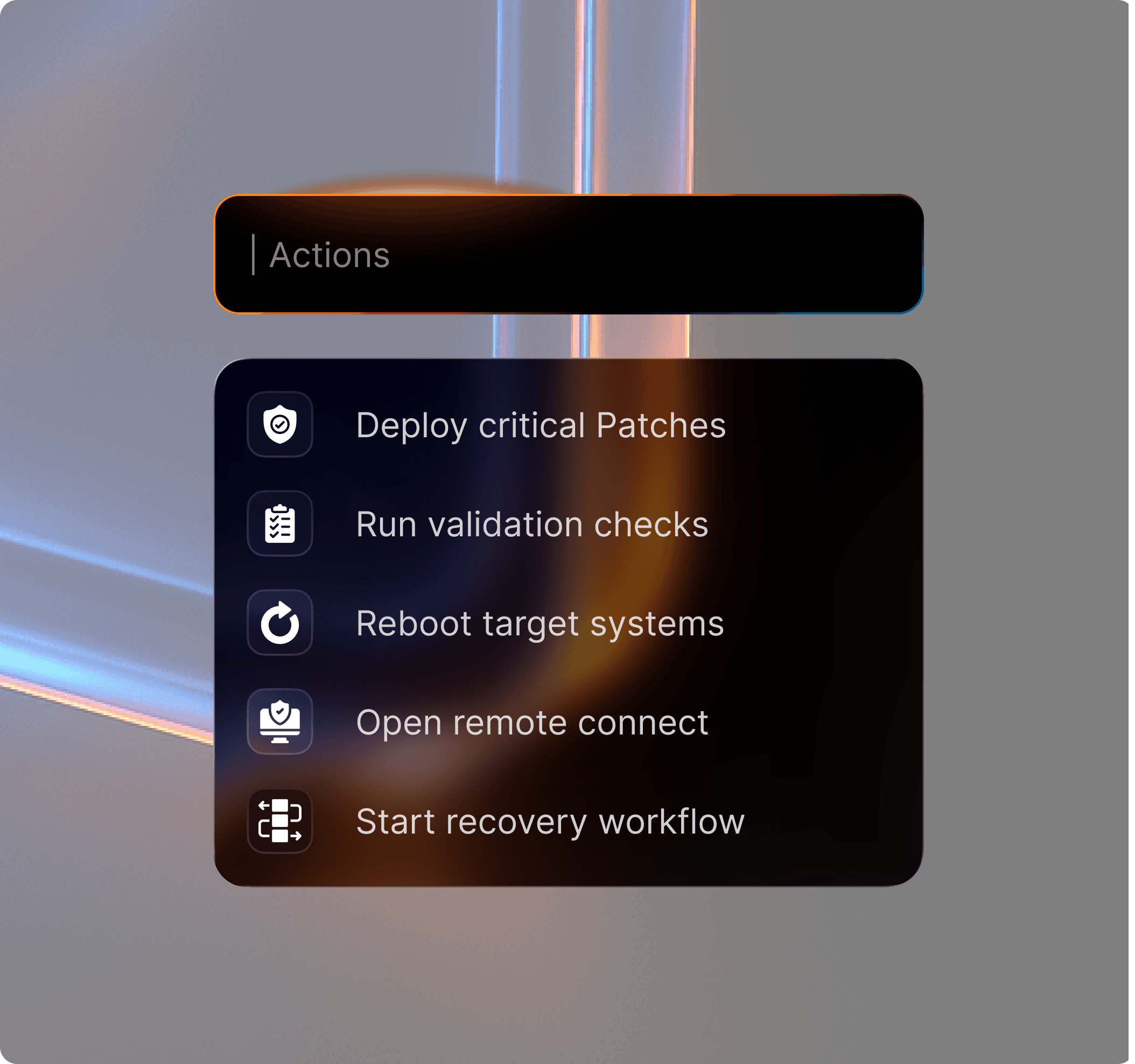
One-Click IT Actions
Execute common IT operations across servers, endpoints, and virtual environments from one control plane.

Run patching, reboot, and script actions at scale
Target by group, tag, policy, or environment
Implement maintenace windows & patch rings
One-Click IT Actions
Execute common IT operations across servers, endpoints, and virtual environments from one control plane.
Run patching, reboot, and script actions at scale
Target by group, tag, policy, or environment
Implement maintenace windows & patch rings
One-Click IT Actions
Execute common IT operations across servers, endpoints, and virtual environments from one control plane.
Run patching, reboot, and script actions at scale
Target by group, tag, policy, or environment
Implement maintenace windows & patch rings
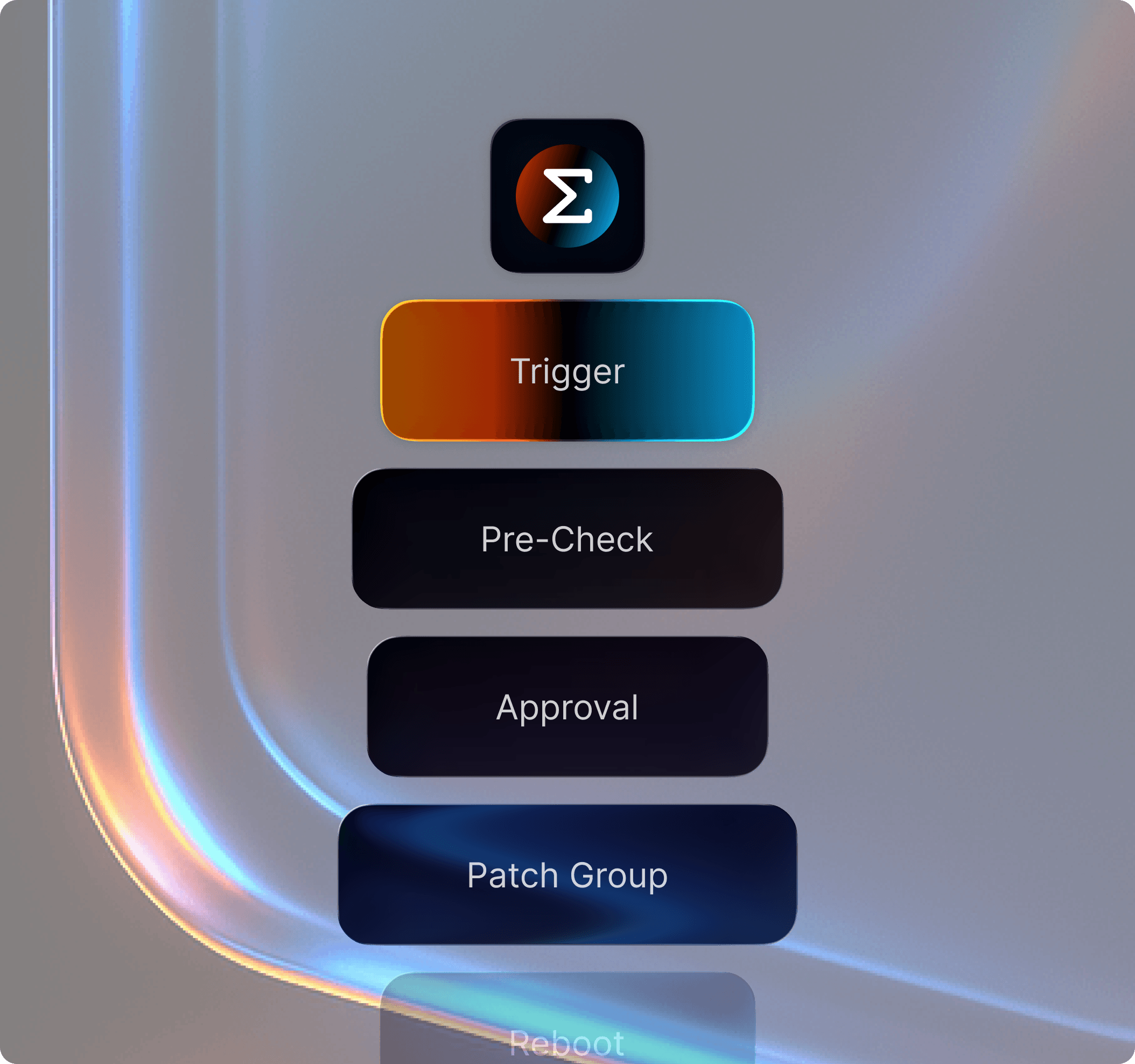
Visual Runbook Designer
Design repeatable operational workflows visually for maintenance windows, approvals, health checks, and recovery.
Drag-and-drop workflow canvas for IT operations
Built-in branching, scheduling, approvals, and validations
Reusable action blocks for patching, rebooting, and post-checks
Visual Runbook Designer
Design repeatable operational workflows visually for maintenance windows, approvals, health checks, and recovery.
Drag-and-drop workflow canvas for IT operations
Built-in branching, scheduling, approvals, and validations
Reusable action blocks for patching, rebooting, and post-checks
Visual Runbook Designer
Design repeatable operational workflows visually for maintenance windows, approvals, health checks, and recovery.
Drag-and-drop workflow canvas for IT operations
Built-in branching, scheduling, approvals, and validations
Reusable action blocks for patching, rebooting, and post-checks
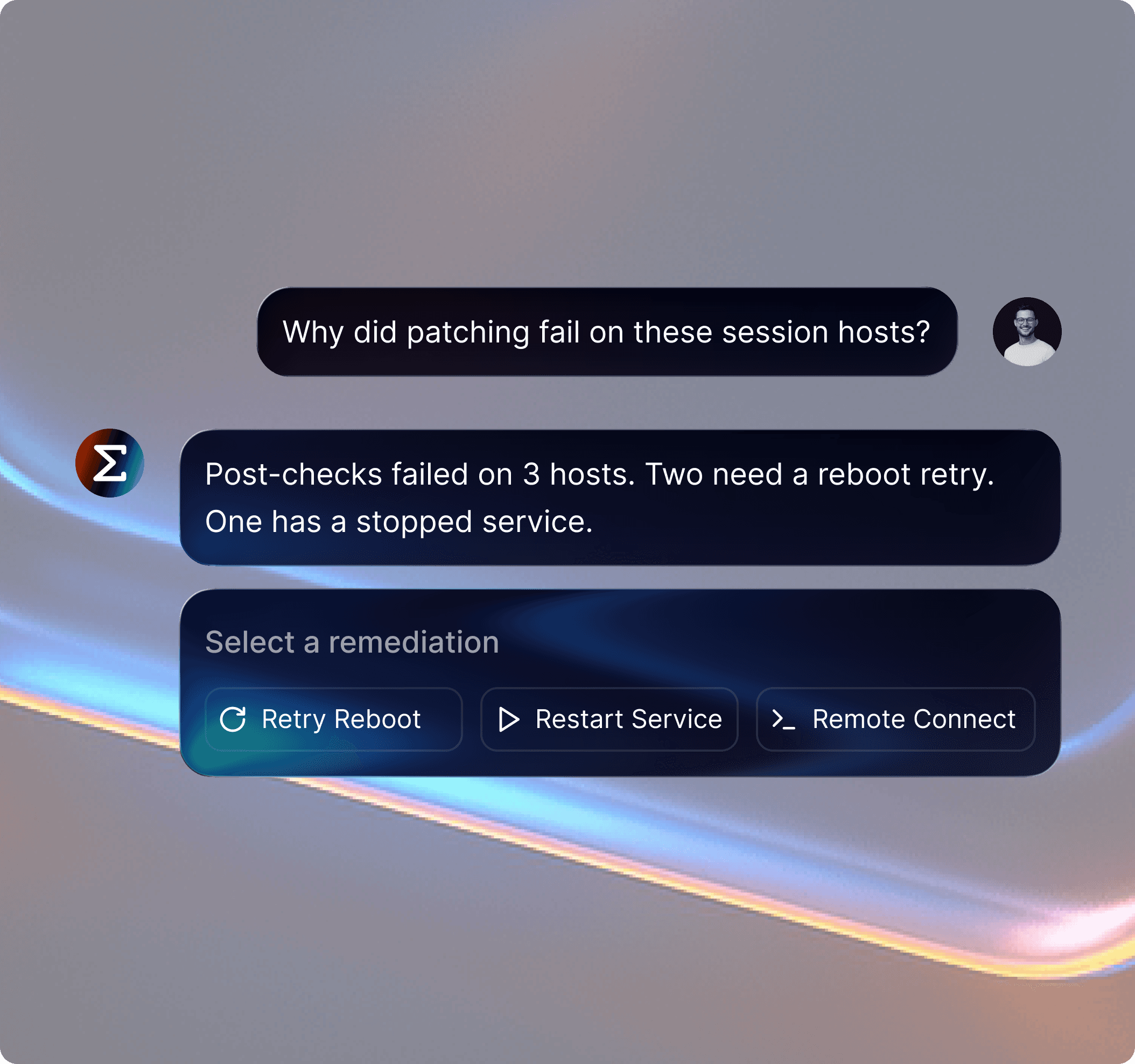
AI Operations Copilot
Use natural language to investigate issues, summarize findings, and launch the next step without jumping between tools.
Ask questions about system health, alerts, and recent changes
Generate diagnostics and remediation steps in seconds
Trigger follow-up actions directly from the same workflow
AI Operations Copilot
Use natural language to investigate issues, summarize findings, and launch the next step without jumping between tools.
Ask questions about system health, alerts, and recent changes
Generate diagnostics and remediation steps in seconds
Trigger follow-up actions directly from the same workflow
AI Operations Copilot
Use natural language to investigate issues, summarize findings, and launch the next step without jumping between tools.
Ask questions about system health, alerts, and recent changes
Generate diagnostics and remediation steps in seconds
Trigger follow-up actions directly from the same workflow
WORKFLOW AUTOMATION
Build and scale IT automation with a visual workflow studio
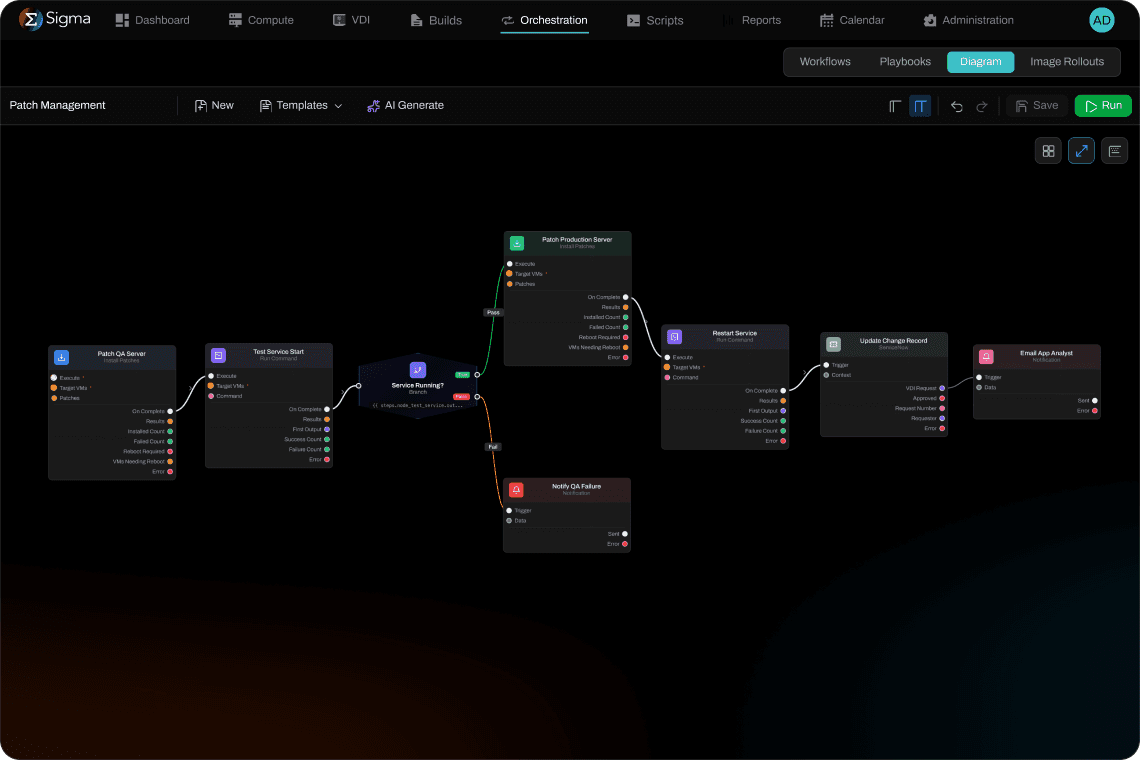
Workflow Builder: Create patching, remediation, maintenance, provisioning, and recovery workflows with a drag-and-drop canvas, no scripting required.
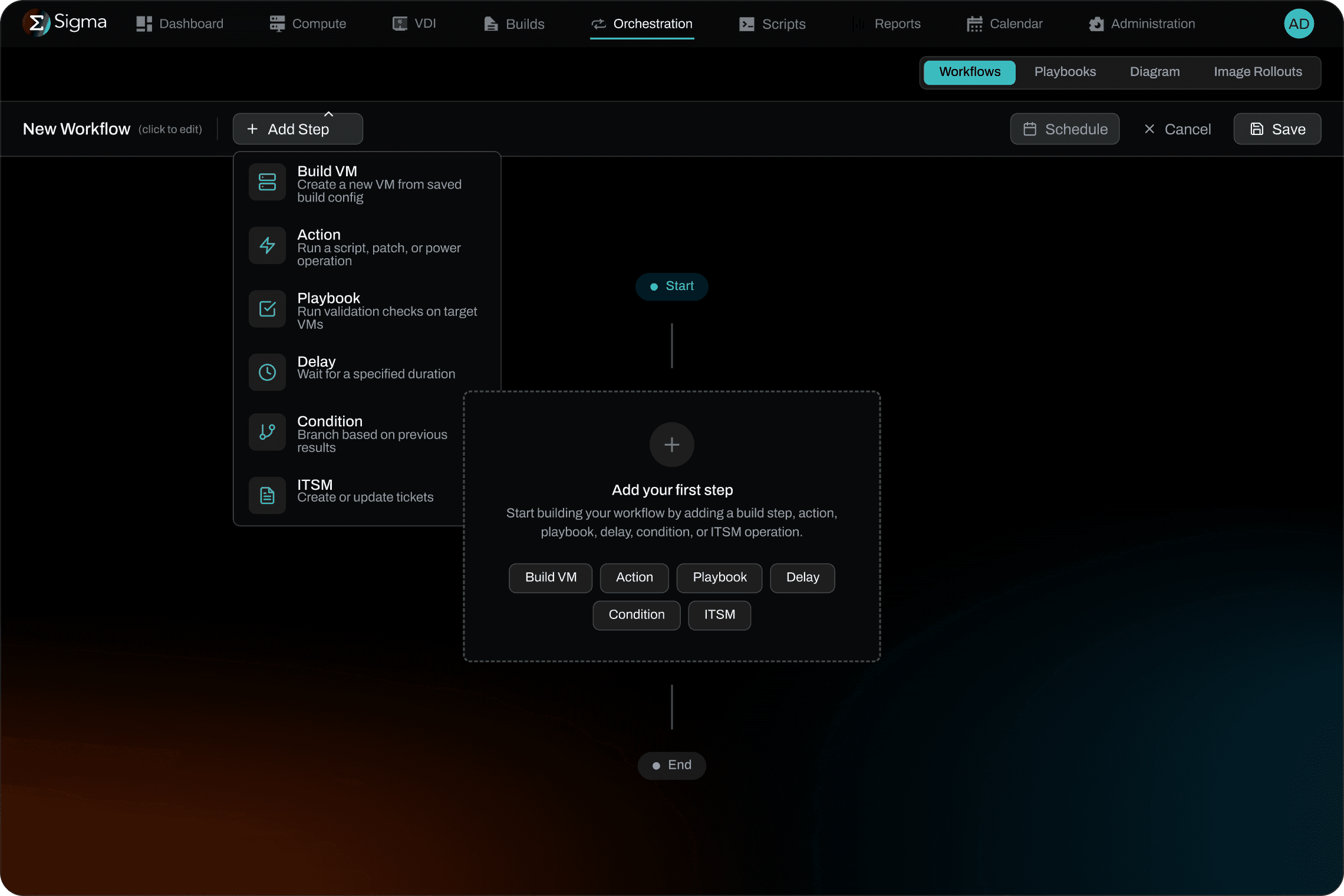
Templates & Recipes: Start faster with proven automation recipes and reusable workflow templates that teams can share, standardize, and adapt.
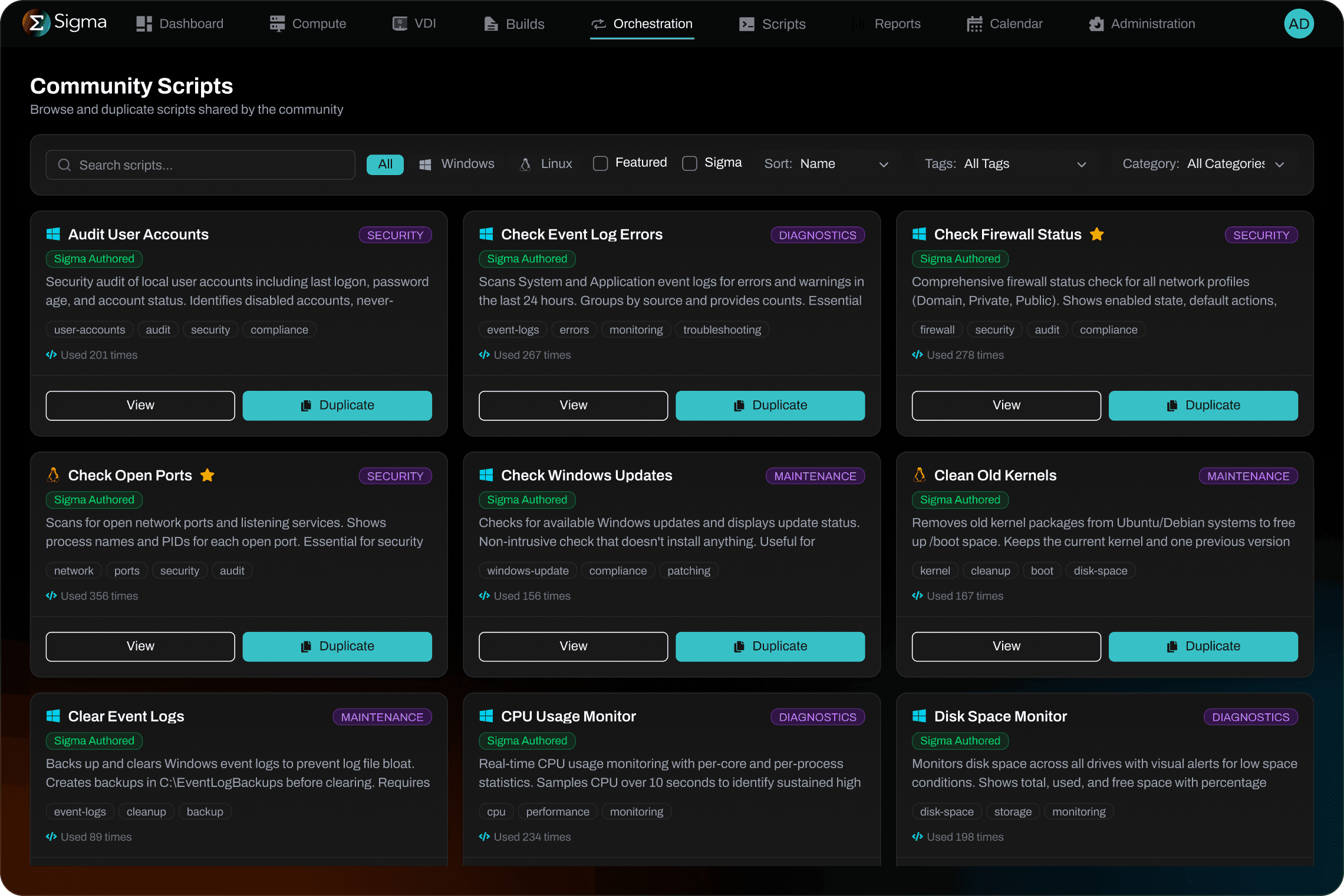
Catalog & Collaboration: Publish workflows to a central catalog so IT teams can discover, launch, and reuse approved automations across environments.
Workflow Builder: Create patching, remediation, maintenance, provisioning, and recovery workflows with a drag-and-drop canvas, no scripting required.
Templates & Recipes: Start faster with proven automation recipes and reusable workflow templates that teams can share, standardize, and adapt.
Catalog & Collaboration: Publish workflows to a central catalog so IT teams can discover, launch, and reuse approved automations across environments.
Workflow Builder: Create patching, remediation, maintenance, provisioning, and recovery workflows with a drag-and-drop canvas, no scripting required.
Templates & Recipes: Start faster with proven automation recipes and reusable workflow templates that teams can share, standardize, and adapt.
Catalog & Collaboration: Publish workflows to a central catalog so IT teams can discover, launch, and reuse approved automations across environments.

BUILT TO INTEGRATE
Connects with your infrastructure ecosystem





CUSTOMER OUTCOMES
From manual operations to automated control
“Sigma unified our VMware, Azure, and AVD management in one platform, replacing hours of manual coordination with a streamlined, consistent process.”

Ron Horn
VP IT, YMCA Charlotte
“Sigma simplified our IT infrastructure by replacing multiple tools and manual effort with end-to-end automation.”

Eric Baldwin
Sr. IT Manager, SiteOne

“Sigma helped us eliminate configuration-related outages and scale to 800 releases per week.”

Brendan Putek
Dir DevOps, Relay Network

“Sigma empowers developers to manage their environments through self-service, reducing reliance on the traditional handoff to DevOps.”

Keith Sprochi
Sr. DevOps, Elemental

“I wouldn’t hesitate to recommend Sigma. Centralized configuration management is the future of infrastructure as code.”

Don Couture
Dir DevOps, Tracelink
CUSTOMER OUTCOMES
From manual operations to automated control
“Sigma unified our VMware, Azure, and AVD management in one platform, replacing hours of manual coordination with a streamlined, consistent process.”
Ron Horn
VP IT, YMCA Charlotte
“Sigma simplified our IT infrastructure by replacing multiple tools and manual effort with end-to-end automation.”
Eric Baldwin
Sr. IT Manager, SiteOne
“Sigma helped us eliminate configuration-related outages and scale to 800 releases per week.”
Brendan Putek
Dir DevOps, Relay Network
“Sigma empowers developers to manage their environments through self-service, reducing reliance on the traditional handoff to DevOps.”
Keith Sprochi
Sr. DevOps, Elemental
“I wouldn’t hesitate to recommend Sigma. Centralized configuration management is the future of infrastructure as code.”
Don Couture
Dir DevOps, Tracelink
CUSTOMER OUTCOMES
From manual operations to automated control
“Sigma unified our VMware, Azure, and AVD management in one platform, replacing hours of manual coordination with a streamlined, consistent process.”
Ron Horn
VP IT, YMCA Charlotte
“Sigma simplified our IT infrastructure by replacing multiple tools and manual effort with end-to-end automation.”
Eric Baldwin
Sr. IT Manager, SiteOne
“Sigma helped us eliminate configuration-related outages and scale to 800 releases per week.”
Brendan Putek
Dir DevOps, Relay Network
“Sigma empowers developers to manage their environments through self-service, reducing reliance on the traditional handoff to DevOps.”
Keith Sprochi
Sr. DevOps, Elemental
“I wouldn’t hesitate to recommend Sigma. Centralized configuration management is the future of infrastructure as code.”
Don Couture
Dir DevOps, Tracelink
HOW IT WORKS
Automate infrastructure in three simple steps

1. Connect your systems
Events, schedules, or conditions kick off the workflow automatically.
1. Connect your systems
Events, schedules, or conditions kick off the workflow automatically.

2. Choose a trigger
Choose an event or schedule that kicks off your workflow.
2. Choose a trigger
Choose an event or schedule that kicks off your workflow.

3. Let Sigma execute
Workflows automatically run across all environments.
3. Let Sigma execute
Workflows automatically run across all environments.
COMMON QUESTIONS
FAQ for enterprise IT teams
Want to learn more?
Let us know! Reach out and our team will get right back to you.
What is Sigma and how does it work?
How quickly can we get started with Sigma?
Sigma is designed for fast time to value. Most teams start by connecting a few core systems, automating one high-impact use case, and expanding from there.
How does Sigma connect to our environment, and what is the security model?
Do we need developers or scripting expertise to use Sigma?
Will Sigma work with our existing tools and hybrid infrastructure?
How does Sigma support governance and operational control?
COMMON QUESTIONS
FAQ for enterprise IT teams
Want to learn more?
Let us know! Reach out and our team will get right back to you.
What is Sigma and how does it work?
How quickly can we get started with Sigma?
Sigma is designed for fast time to value. Most teams start by connecting a few core systems, automating one high-impact use case, and expanding from there.
How does Sigma connect to our environment, and what is the security model?
Do we need developers or scripting expertise to use Sigma?
Will Sigma work with our existing tools and hybrid infrastructure?
How does Sigma support governance and operational control?
COMMON QUESTIONS
FAQ for enterprise IT teams
Want to learn more?
Let us know! Reach out and our team will get right back to you.
What is Sigma and how does it work?
How quickly can we get started with Sigma?
Sigma is designed for fast time to value. Most teams start by connecting a few core systems, automating one high-impact use case, and expanding from there.
How does Sigma connect to our environment, and what is the security model?
Do we need developers or scripting expertise to use Sigma?
Will Sigma work with our existing tools and hybrid infrastructure?
How does Sigma support governance and operational control?

Start Your IT Automation Journey Today
Start Your IT Automation Journey Today
Book a demo with our automation experts.
Book a demo with our automation experts.